Agent工具接入
Goose
在 Goose 中配置 AIGoCode 并使用兼容模型完成 Agent 任务
Goose 是一个可扩展的 Agent 工具。安装后,在首次配置向导中填写 AIGoCode 的地址、API Key 和模型即可开始使用。
安装 Goose
在终端运行官方安装脚本:
curl -fsSL https://github.com/aaif-goose/goose/releases/download/stable/download_cli.sh | bash安装完成后,重新打开终端并验证:
goose --version
配置 AIGoCode
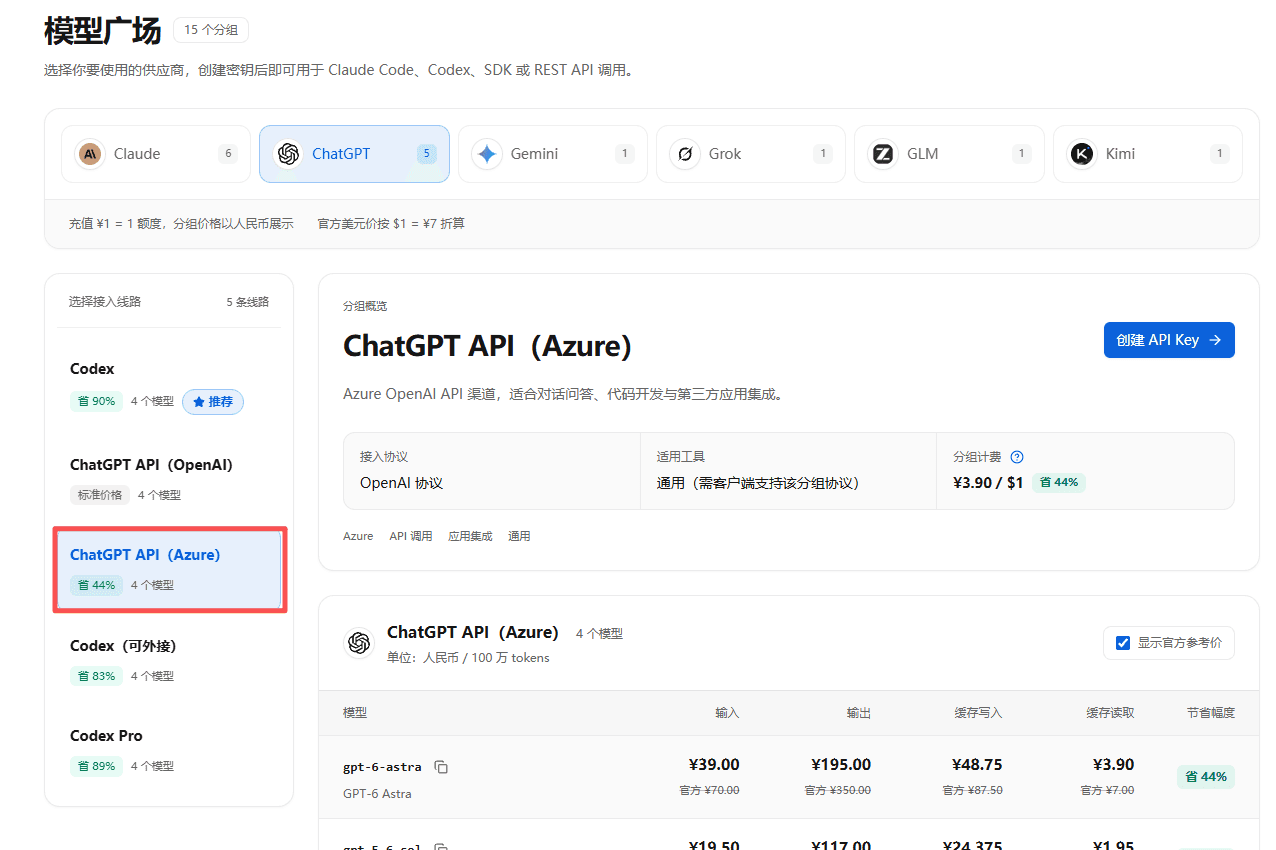
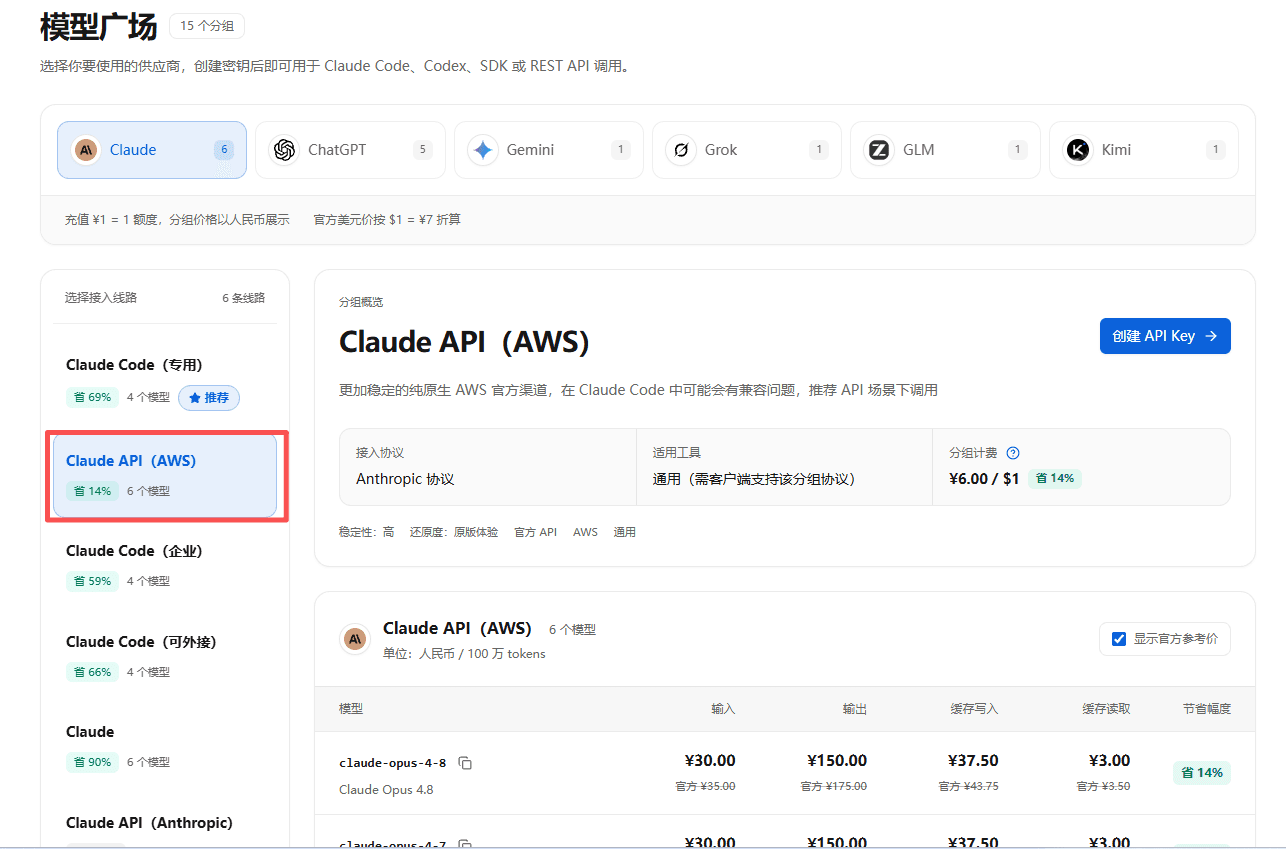
在企业控制台创建相应分组的 API Key。
运行配置向导:
goose configure选择 Custom Providers → Add A Custom Provider,再按所选协议填写:
| 配置项 | OpenAI 兼容 | Anthropic Messages |
|---|---|---|
| API 类型 | OpenAI Compatible | Anthropic Compatible |
| Provider 名称 | AIGoCode | AIGoCode |
| 分组 | ChatGPT API(Azure) | Claude Code(可外接) |
| Provider API URL | https://api.aigocode.team | https://api.aigocode.team |
| API base path | v1/chat/completions | v1/messages |
| API Key | 对应分组的 Key | 对应分组的 Key |
| 模型 | gpt-6-astra | claude-opus-5-5 |
| 需要鉴权 / 流式响应 | Yes / Yes | Yes / Yes |
按表格填写企业 API 地址。
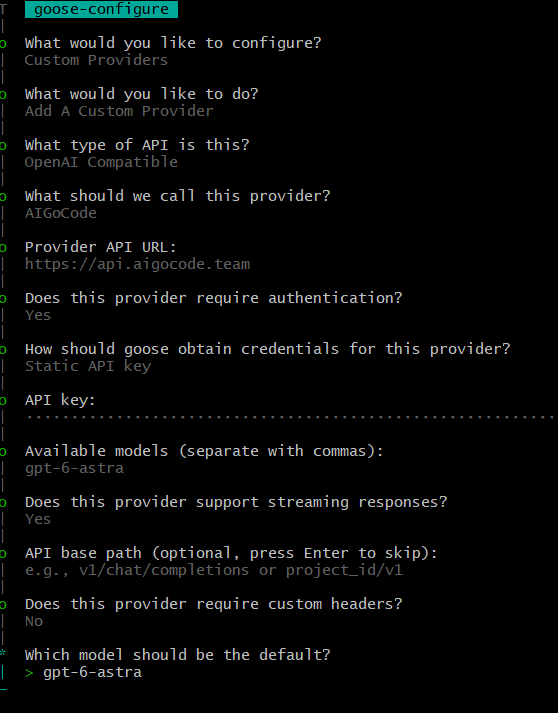
完成配置后,进入项目目录并运行:
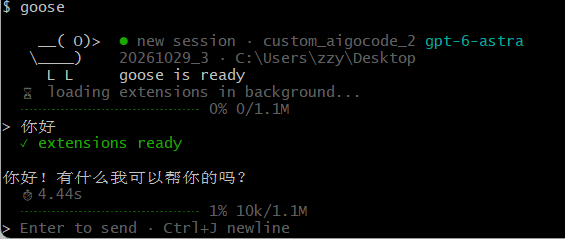
goose验证接入
在 Goose 中发送一条消息,收到模型回复即表示接入完成。随后可在 AIGoCode 控制台的用量记录中确认请求。
核对 API Key 分组、API 地址、协议和模型名称。